
As part of Oslandia’s collaboration with Ifremer, I had the opportunity to work on improving the time support for groups in QGIS Server.
Use cases
Ifremer has a set of image data covering the same area at different points in time. This type of data is very useful for tracking changes in the landscape (monitoring forest canopy, coastline evolution, land development, etc.).
In QGIS, users can group these datasets and define the temporal dimension for each image—that is, the date and time the image was captured. They can then animate the sequence using the timeline and view the progression of these different images.
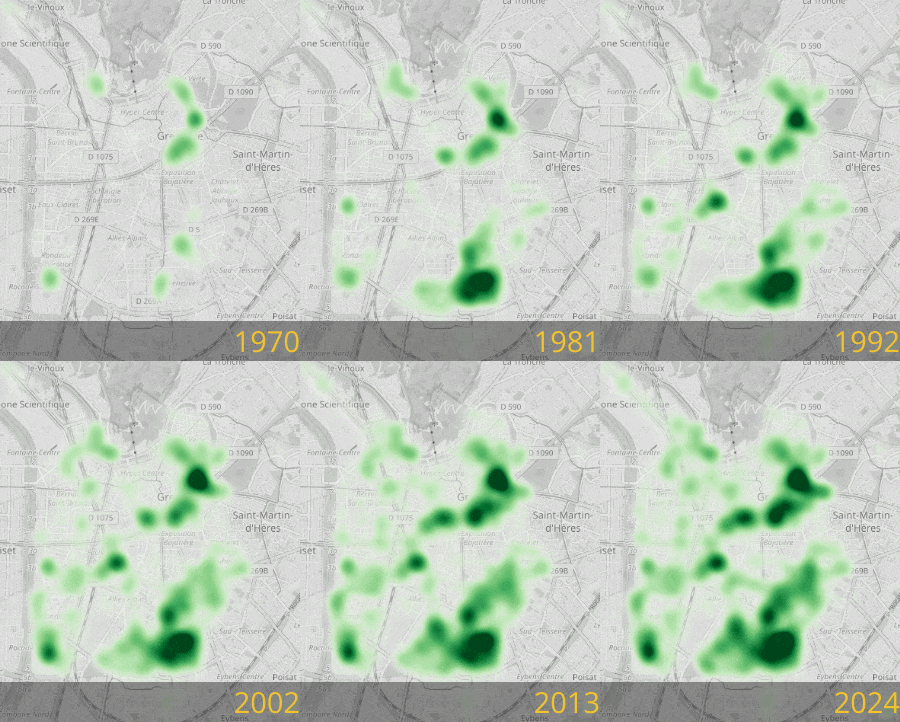
Tree planting in the city of Grenoble, carried out using the QGIS timeline tool
Ifremer would like to be able to distribute this data to its users via its own web portal.
QGIS Server and WMS-T to the rescue
The web portal and QGIS Server communicate using the OGC WMS standard.
It is already possible to specify the TIME parameter in a WMS GetMap request to filter data by one or more specific points in time or time intervals. The web portal can therefore already access our group’s data for a given date.
But it also needs to know the group’s temporal “dimension,” that is, the list of available time points or time ranges for the group. This allows it, in particular, to adapt its display: show a drop-down list of the different time points, present a timeline with markers for each time point…
The OGC WMS standard allows this information to be exposed when executing a GetCapabilities request. Until now, QGIS returned this information for data layers, but not for groups. This is now possible in QGIS 3.44.
How do you enable it?
From the group node in the layer tree, you must define the group’s WMS data.
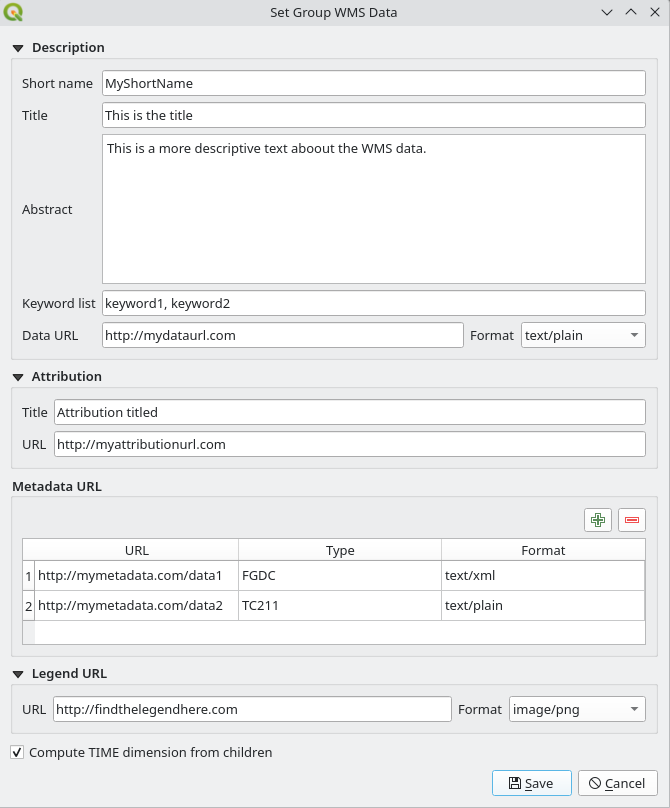
Group WMS Data Configuration Window
Enabling the “Compute TIME dimension from children” option allows the group to expose its time dimension during a GetCapabilities query. This dimension is constructed by recursively traversing all the group’s children to combine their time dimensions.
What else?
This development also provided an opportunity to enhance this window with the parameters already available for data layers, namely:
- keywords,
- attribution,
- URLs for metadata, the legend, and the data presentation.
Finally, the configuration window for the temporal dimension of a data layer now includes the option to define a fixed date/time that corresponds to a time range with identical start and end times.
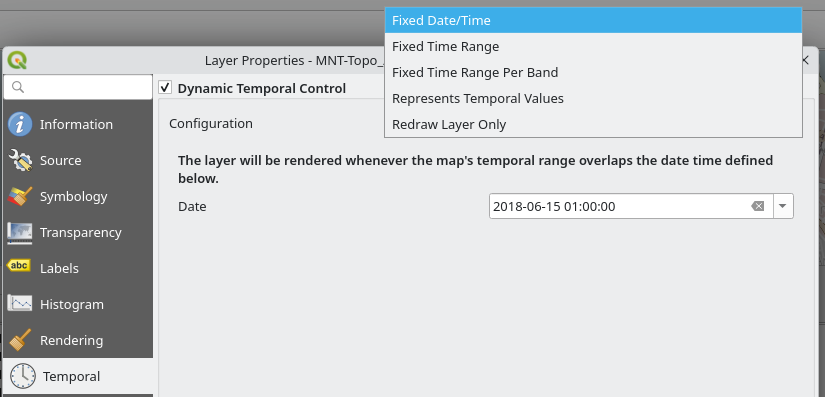
Selecting a fixed date for a data layer
Conclusion
Thank you to Ifremer for making this development possible and for helping to improve the time support in QGIS. If you would like a comprehensive list of the new features included in QGIS 3.44, please feel free to read the changelog.
If you would also like to contribute or have any other questions regarding QGIS, please feel free to contact us at infos+qgis@oslandia.com
You can stay informed through our newsletter and follow us on LinkedIn.