
QGIS version 4.0 is now available! Currently intended for adventurous users, this version brings several technical and functional innovations.
Users should not be unsettled by this version, as the changes are mostly technical and in-depth.
The main change comes from the transition to version 6 of the Qt graphical interface framework, which is used for the development of QGIS.
This change also affects plugins, which will need to be migrated. If you would like assistance with migrating your plugins, please don’t hesitate to contact us 💌. Oslandia can help you with its QGIS expertise!
For adventurous users
It is important to note that this version is an “early adopter” release, not an “LTR” (Long Term Release). This means that it is not intended for use in production. It may still contain instabilities, unfinished features, or sneaky bugs!
Adventurous users are therefore invited to install and use this version in order to report any issues encountered and help improve QGIS 4 in preparation for its transition to LTR.
Is the QGIS release cycle unclear to you? An upcoming article will shed some light on the subject! You can also subscribe to the Oslandia newsletter to stay up to date.
New features
QGIS 4.0 also brings new features. The classic “video tour” presents the main changes to your favorite GIS software in video format.
For a list of most of the new features, you can also consult the “Visual Changelog.”
Oslandia is a pure OpenSource player and one of the companies most involved in the development of QGIS.
Among the many new features, there are significant contributions from Oslandia. We will detail several of these features in future articles.
For example, in QGIS 4 you will discover:
- full CMYK support in QGIS, available with the switch to Qt6
- a tool for managing curves with Bézier lines
- a chamfer tool
- improved rendering of symbol lines
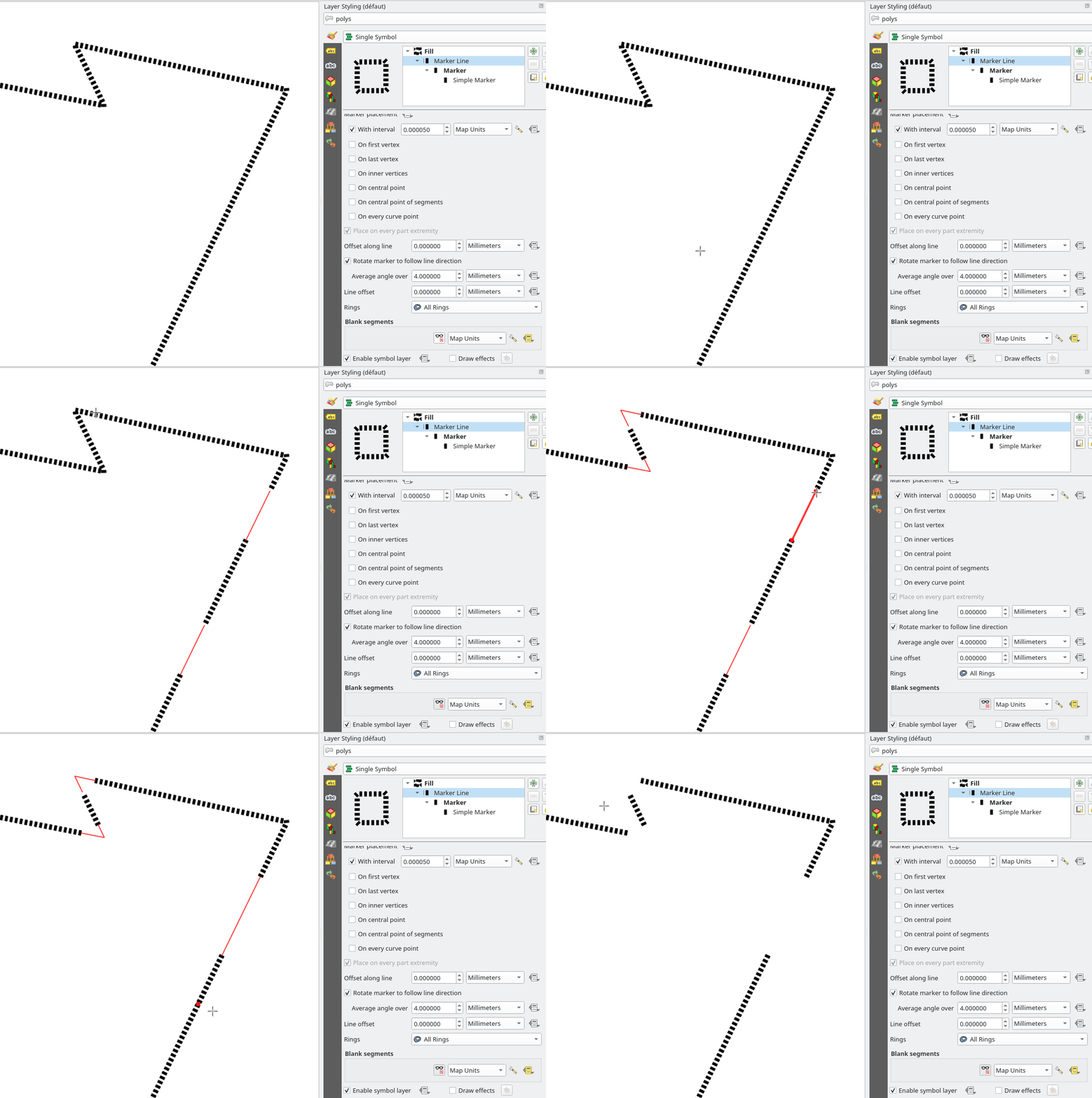
- A tool for copying features along a line
- Custom menu and toolbar configuration
- Multiple features for QGIS 3D…
- including support for SFCGAL, the 3D geometry processing library
- And many other features

Updating plugins to Qt6
The main change in QGIS 4 is therefore the transition to version 6 of the Qt graphics library.
Versions 5 and 6 of Qt have differences and incompatibilities. A transition therefore requires adaptation of the code using this framework.
QGIS plugins are also based on Qt, and plugin developers will need to take this necessary transition into account. This requires code changes to adapt to Qt6. It is possible to make plugins compatible with both Qt5 and Qt6 at the same time.
All plugins compatible with QGIS 4 are listed on the QGIS website.

If you need help adapting your plugins, please don’t hesitate to contact us. Our developers will be happy to assist you.
Deploying QGIS 4
Updating QGIS to version 4 in your organization must be carefully planned so that it is done at the right time. Questions to ask include:
- Are the features our users need iso-functional?
- Is QGIS 4 stable enough at the time of migration?
- Have the plugins used already been ported?
- Have the QGIS projects been tested and validated?
- Will it be possible to migrate to QGIS 4 all at once, or should successive migrations be planned?
The deployment strategy and therefore migration to QGIS 4 can be facilitated with tools such as QGIS Deployment Toolbelt. This tool will allow you to control all QGIS deployments and settings for your users.
Oslandia can also assist you with these migration and deployment strategies, so please contact us!
On the way to QGIS 4 LTR
Efforts will now focus on stabilizing QGIS 4 to make it an LTR version that can be put into production. User feedback is important for this work, so please feel free to contribute!
![(Fr) [Équipe Oslandia] Sylvain, GIS Engineer](https://oslandia.com/wp-content/uploads/2026/02/portrait-sylvain.png)


