
Which version of QGIS should I use?
With the release of QGIS 4, the question of the QGIS release cycle is arising again for many users.
Among the most common:
- what is the roadmap?
- how long will this version be maintained?
- is it a stable version?
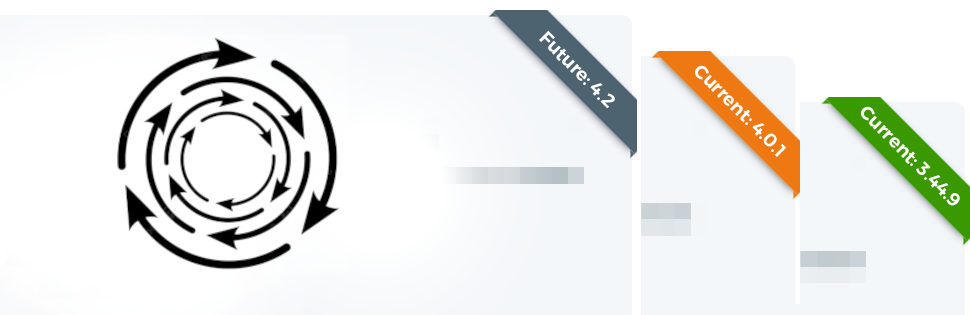
The official QGIS roadmap page shows the current versions, along with a countdown to the next one.
I have attempted to simplify the QGIS release cycle, which can be unclear if you go too much into detail. Here is my perspective as a core QGIS developer, simplified to present the release cycle in a schematic way.
There are 3 types of QGIS versions:
- the development version (dev/nightly)
- with a lifespan of 24 hours
- unstable
- used to test a newly added feature
- installable via the dedicated OSGeo4W installer (OSGeo for Windows), or the Linux development repository
- the latest version (latest)
- with a lifespan of 4 months
- relatively stable
- used to test new features and report bugs (issues to be created on GitHub)
- installable via the download page
- the long-term LTR version (long term release)
- with a lifespan of 1 year
- the most stable version
- used in production environments
- installable via the download page
A picture is worth a thousand words
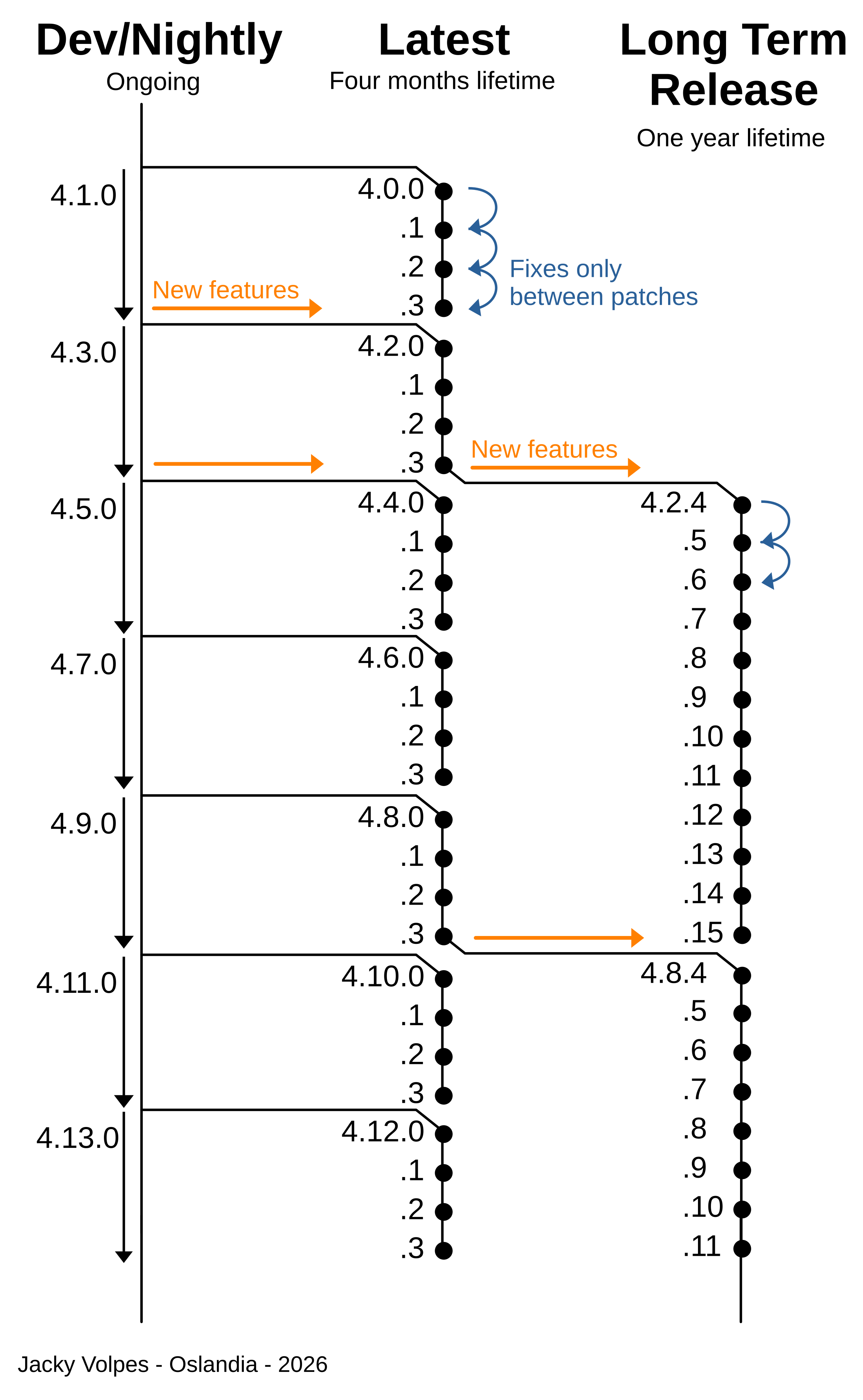
The diagram below illustrates how these different versions are built and highlights their end-of-life.
A few additional details:
- QGIS uses SemVer versioning, where X.Y.Z correspond to the major, minor, and patch versions
- each point represents the release of a new version, spaced one month apart
- a patch version change does not introduce any new features
Conclusion
For each new release, feel free to check out the visual changelog in video form, for example the one for QGIS 4.0.
The visual and video changelog for each version is available on the dedicated page.
If you would like to contribute to QGIS, or if you have any other questions about QGIS, feel free to contact us at infos+qgis@oslandia.com
You can stay informed of Oslandia news through our newsletter, and follow us on LinkedIn.
![(Fr) [Témoignage client] Fabrice Thevenon et Karine Lesage, chefs de projet SIG à la DSIN du Conseil Départemental de la Haute Garonne](https://oslandia.com/wp-content/uploads/2026/04/témoignage-CD-Haute-Garonne-oslandia-vok.png)


